
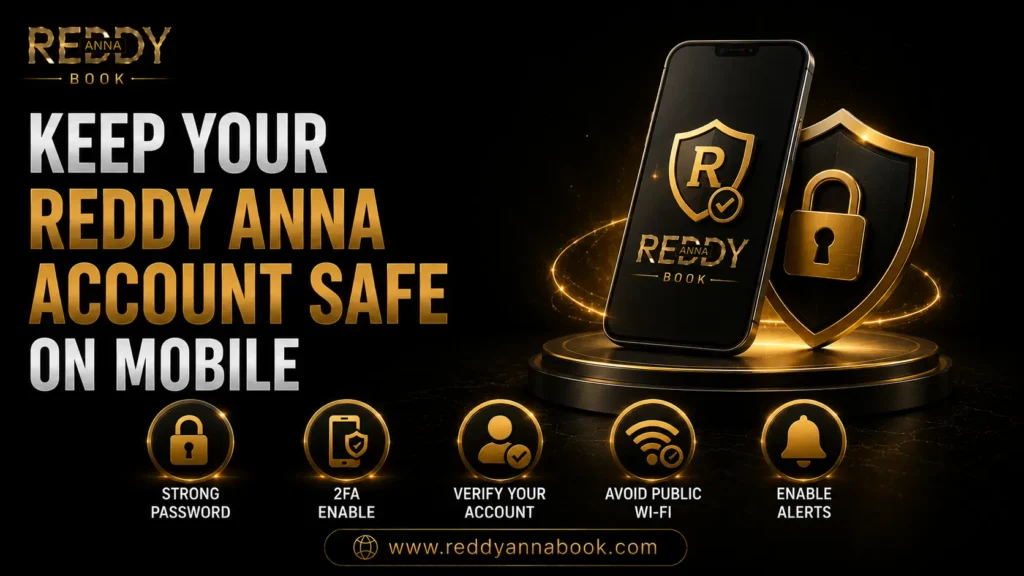
Mobile betting has completely changed how Indian users interact with online sports platforms.
Today, most users no longer wait to reach home, open a laptop, or sit at a desktop computer before placing bets.
Instead, betting now happens:
- During IPL matches while traveling
- During lunch breaks at work
- While watching football with friends
- During late-night tennis matches
- While checking live odds from anywhere
Mobile convenience has made sports betting faster, easier, and more accessible than ever before.
But with that convenience comes responsibility.
Because when your smartphone becomes your betting wallet, your account manager, your payment device, and your live betting dashboard…
Mobile security becomes money security.
A lost phone.
A fake app.
A weak password.
A public Wi-Fi login.
Any of these can create unnecessary account risks.
That’s why every user—especially beginners—should learn how to protect their account before problems happen.
If you use Reddy Anna Book on your smartphone, this complete guide will show you exactly how to keep your account secure, protect your wallet, and build safer mobile betting habits in 2026.
Why Mobile Security Matters More Than Ever
Many users think:
“My phone is personal—so my account must be safe.”
Not always.
Modern smartphones contain:
- Saved passwords
- UPI apps
- Wallet balances
- Betting sessions
- Browser autofill
- Banking apps
- Login screenshots
If your phone becomes compromised, your betting account may be exposed too.
That’s why mobile security matters.
Not just for privacy.
For money.
1. Always Use an Official Account
Security starts before your first login.
One of the biggest beginner mistakes is getting accounts through:
- Random Telegram groups
- Fake Instagram pages
- Unknown WhatsApp numbers
- Social media comments
- Unverified agents
This creates unnecessary risks from day one.
Always start with your verified Reddy Anna ID through official support channels.
Why this matters:
Official accounts create:
✅ Better recovery support
✅ Safer wallet protection
✅ Faster verification
✅ Lower fraud risk
Account safety starts at account creation.
2. Download Apps Only From Trusted Sources
Fake betting apps remain one of the biggest mobile risks.
Scammers often create apps that look almost identical to real platforms.
These fake apps may:
- Steal passwords
- Capture OTPs
- Record payment activity
- Track wallet details
- Inject malware
Never install apps from:
❌ Unknown APK links
❌ Random Telegram channels
❌ Social media comments
❌ Unverified websites
Always use the official Reddy Anna app or trusted official support channels.
Before installing any app:
Verify:
✅ Correct branding
✅ Official download source
✅ Trusted support
✅ Updated version
A few extra seconds can prevent major problems.
3. Lock Your Phone Properly
This sounds simple.
But it’s one of the most powerful mobile security habits.
Never leave your betting account protected by:
❌ No lock screen
❌ Easy PINs like 1234
❌ Birthdays
❌ Mobile numbers
Use stronger phone protection.
Examples:
✅ Fingerprint lock
✅ Face unlock
✅ 6-digit PIN
✅ Complex passcodes
Your phone is your wallet.
Protect it like one.
4. Never Save Passwords in Unsafe Places
Many users save betting credentials in:
❌ Gallery screenshots
❌ WhatsApp chats
❌ Shared notes apps
❌ Family devices
This creates serious risks.
Instead:
Use:
- Password managers
- Encrypted notes
- Private vault apps
- Offline secure backups
Smart storage reduces account exposure.
5. Always Use the Official Login Page
Fake login pages remain one of the biggest threats to mobile users.
Scam pages often look identical.
Users enter:
- User ID
- Password
- OTP
And unknowingly share credentials.
Always log in through the official Reddy Anna login page instead of random search results or social media links.
Warning signs of fake pages:
❌ Strange domain names
❌ Missing HTTPS
❌ Broken logos
❌ Suspicious popups
❌ Payment requests before login
Always verify before entering credentials.
6. Avoid Public Wi-Fi for Betting
Free Wi-Fi feels convenient.
But public networks create risk.
Examples:
- Airport Wi-Fi
- Café Wi-Fi
- Hotel Wi-Fi
- Public hotspots
Public networks may expose:
- Passwords
- Browser sessions
- Wallet activity
- Payment requests
Safer alternatives:
✅ Mobile data
✅ Personal hotspot
✅ Trusted home Wi-Fi
Convenience should never beat security.
7. Enable Strong Password Habits
Weak passwords remain one of the biggest account risks.
Examples of weak passwords:
❌ cricket123
❌ 123456
❌ mobile number
❌ name + year
Better passwords include:
- Uppercase letters
- Lowercase letters
- Numbers
- Symbols
Example:
Ra!Secure2026#
Strong passwords protect both:
Your account.
And your wallet.
8. Never Share OTP With Anyone
This is one of the most important rules.
Ever.
Scammers may claim:
“We’re support.”
“We need verification.”
“We can unlock your account.”
Then ask for:
❌ OTP
❌ Password
❌ Wallet screenshots
❌ UPI details
Never share OTP.
Official recovery processes do not require you to share OTP with random agents.
Ever.
9. Keep Your Phone Updated
Old software creates security risks.
Outdated phones may contain:
- Security vulnerabilities
- App compatibility issues
- Browser exploits
Always update:
- Android / iPhone software
- Browser apps
- Security apps
- Payment apps
- Betting apps
Updates protect accounts.
And money.
10. Be Careful With Multi-Device Logins
Many users switch between:
- Phone
- Laptop
- Tablet
This is fine.
If done safely.
But sudden device changes may trigger security checks.
If you use multiple devices, read Can You Use One Reddy Anna ID on Multiple Devices? to understand safe multi-device habits.
Preparation reduces confusion.
11. Log Out If Your Device Is Lost
If your phone is lost:
Act immediately.
First steps:
✅ Change password
✅ Contact support
✅ Remove saved sessions
✅ Review login activity
✅ Secure payment apps
Fast action protects your wallet.
Not tomorrow.
Now.
12. Complete Account Verification Early
Verified users usually recover accounts faster.
Verification helps protect:
- Device changes
- Password resets
- Wallet disputes
- Withdrawal requests
Users who complete verification early often face fewer security problems later.
Verification creates trust.
And trust creates faster recovery.
Common Mobile Security Mistakes
During testing, these mistakes appeared most often:
1. Installing unofficial apps
Creates malware risks.
2. Saving passwords in screenshots
Creates credential exposure.
3. Using public Wi-Fi
Creates network risks.
4. Sharing OTP
Creates fraud risks.
5. Ignoring account verification
Creates recovery delays.
Users who understand security early usually build safer long-term habits. For a broader security overview, also read Why Reddy Anna May Ask for Extra Security Verification.
Preparation always beats recovery.
Real Experience During Testing
During testing, mobile users who followed structured security habits experienced:
✅ Faster logins
✅ Safer payments
✅ Fewer password issues
✅ Better wallet protection
✅ Lower fraud risk
✅ Faster account recovery
The difference wasn’t luck.
It was preparation.
Frequently Asked Questions
Is mobile betting safe on Reddy Anna?
Yes—if you use official apps, strong passwords, and trusted networks.
Should I save passwords on my phone?
Only in trusted password managers.
Is public Wi-Fi safe?
No.
Mobile data or trusted Wi-Fi is safer.
Does account verification help mobile users?
Yes.
Verification protects wallet access and recovery.
Ready to Secure Your Reddy Anna Account on Mobile?
Your smartphone can be your most powerful betting device—or your biggest security risk.
The difference comes down to habits.
Secure your device. Protect your wallet. And use official channels only.
👉 Verify Your Reddy Anna Account
👉 Download the Official Reddy Anna App
👉 Chat on WhatsApp for Mobile Security Support
Stay mobile. Stay secure. And bet with confidence.
 Get Reddy Anna ID